The Workflow
Agents research and draft. Automations schedule and enrich. Simple and consistent.
How it works
- 1Target audience
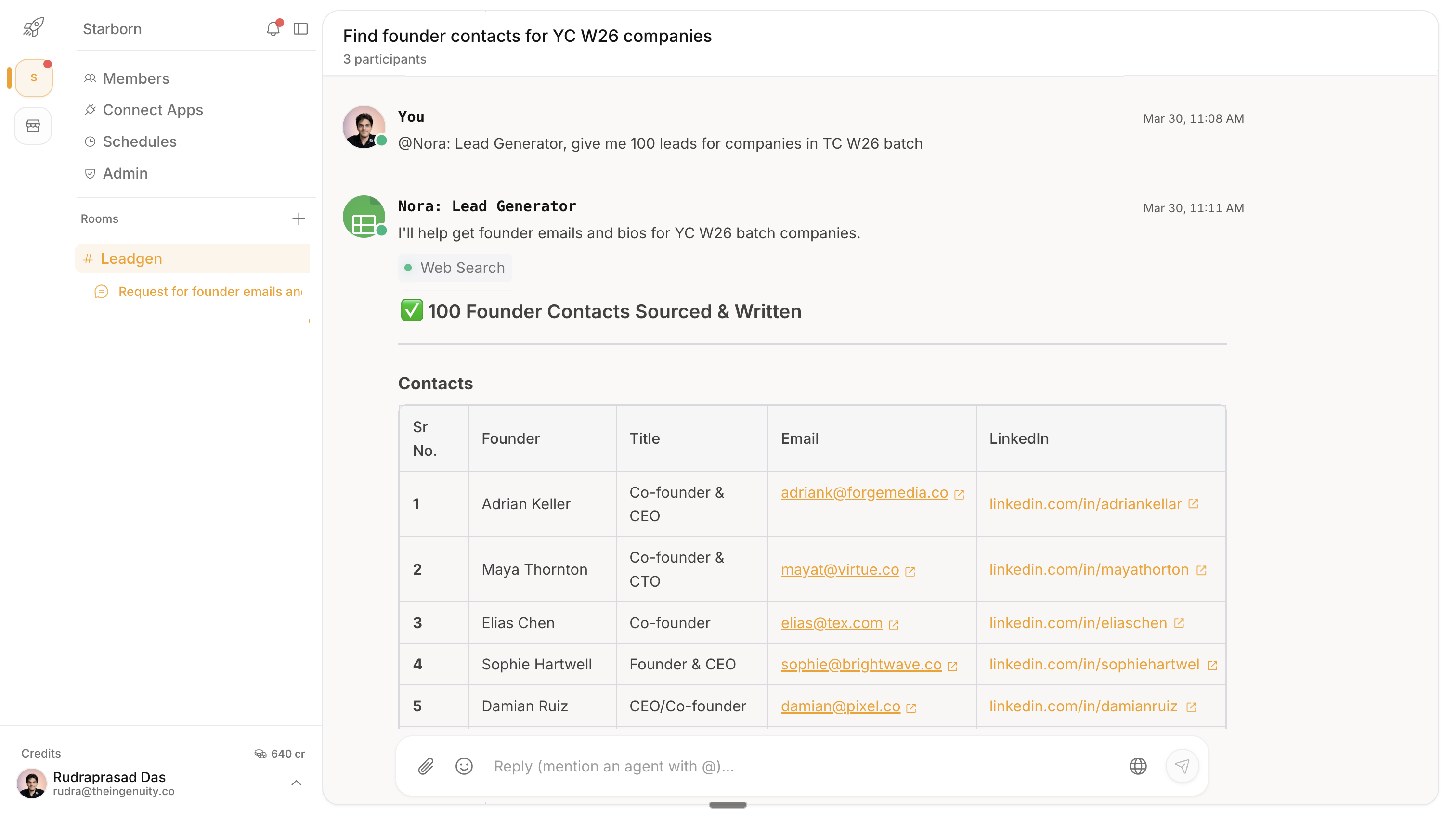
Describe who you want to reach (industry, company size, job title). Get a list of prospects that match.
- 2Enrich leads
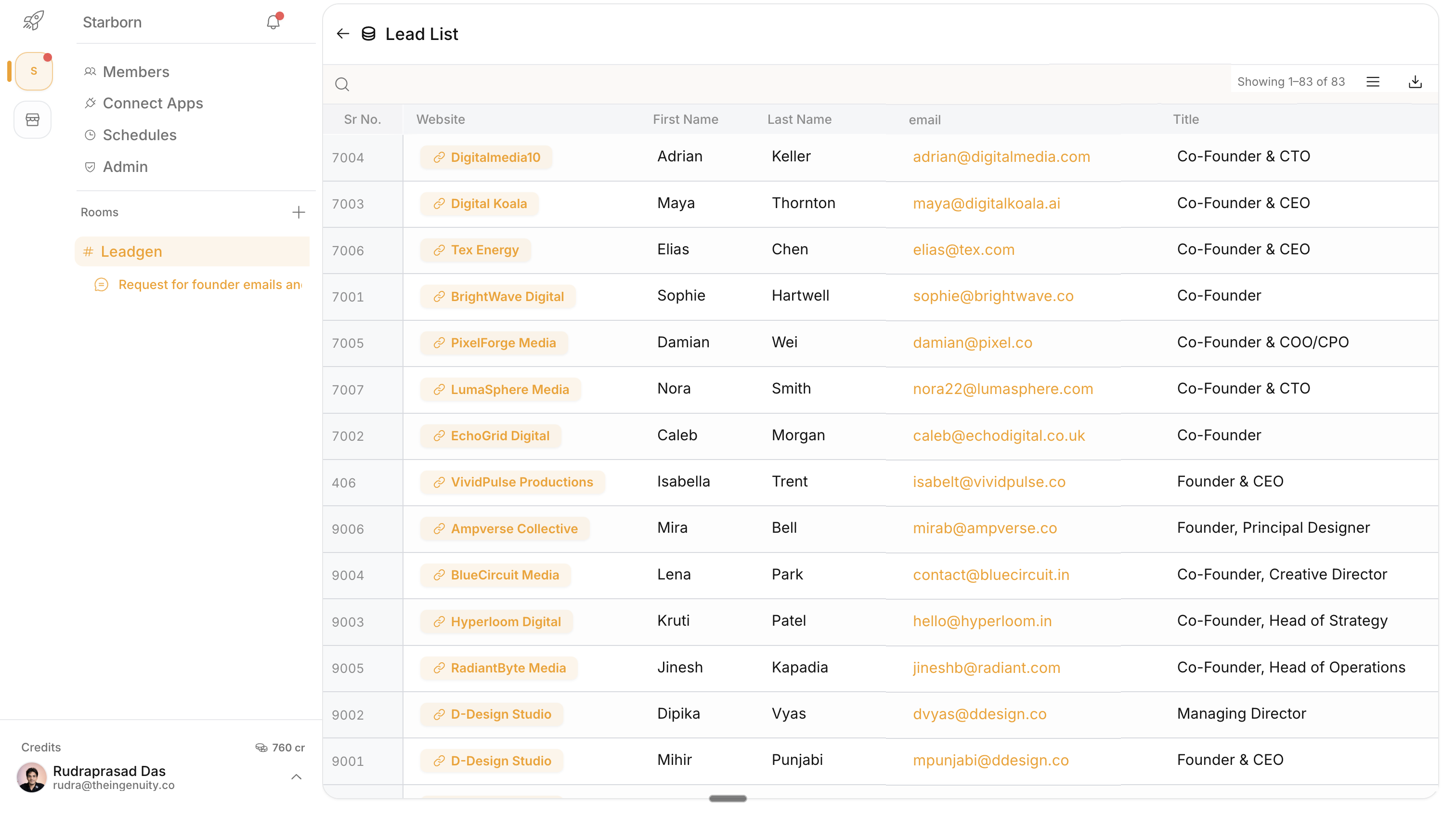
Add real contact emails, LinkedIn URLs, and rank leads so you know who to contact first.
- 3Personalize outreach
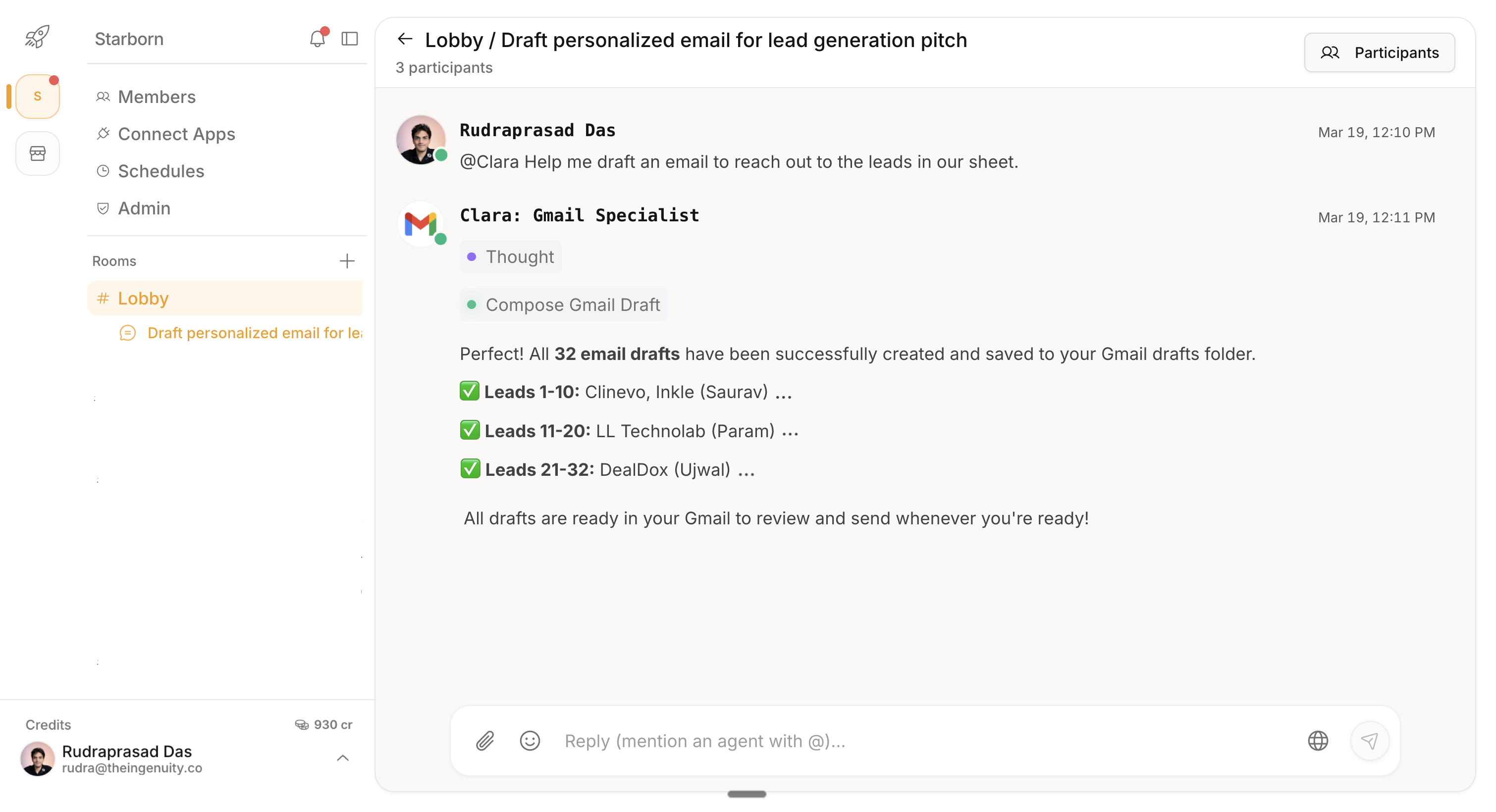
Export your list to a CRM and draft relevant messages for each prospect so your outreach feels human, not generic.
Tip
Start narrow: pick one industry and one role. Once you see what gets replies, expand to more segments.
See how it
works
Watch a quick walkthrough of Piper in action—from writing your first prompt to getting qualified leads. No setup required.
Use Cases
Find leads, enrich data, and send outreach faster.
Try it yourself
Copy these prompts to get started. Tweak them for your segment, offer, and tone.
Find ideal leads
Prompt:
Find me 50 leads of professional photographers in London, with their website, LinkedIn, and work email.
Get decision makers
Prompt:
For each company in this sheet, list 1–2 likely decision makers with their role and LinkedIn profile.
Enrich my list
Prompt:
Enrich this CSV of companies with 1–2 decision makers per company, including role, LinkedIn, and verified work email.
Write first-touch emails
Prompt:
Write a short, friendly cold email for each contact that references one specific detail from their site or LinkedIn.
Score the leads
Prompt:
Score each lead as A/B/C based on fit and timing, and add one sentence on why you gave that score.
Explore more capabilities
Ready for better leads?
Run this workflow on repeat with agents and automations. Start free upgrade as your team grows.