Getting Started
Create your account, access your starship, and build your first AI agent through conversation
What's a Starship? Your starship is your personal AI workspace where all your agents, tools, and conversations live. Think of it as your command center for building with AI. Learn more about the agent architecture and tool ecosystem.
1. Create Your Account
- Sign up at starships.ai
- Verify your email (required to access the platform)
- Automatic setup: Upon verification, you'll receive:
2. Access Your Starship Dashboard
After email verification, you'll be taken directly to your conversation interface at:
/ship/your-starship-name/conversations
Note: /ship/your-starship-name redirects to /ship/your-starship-name/conversations (there is no Overview page).
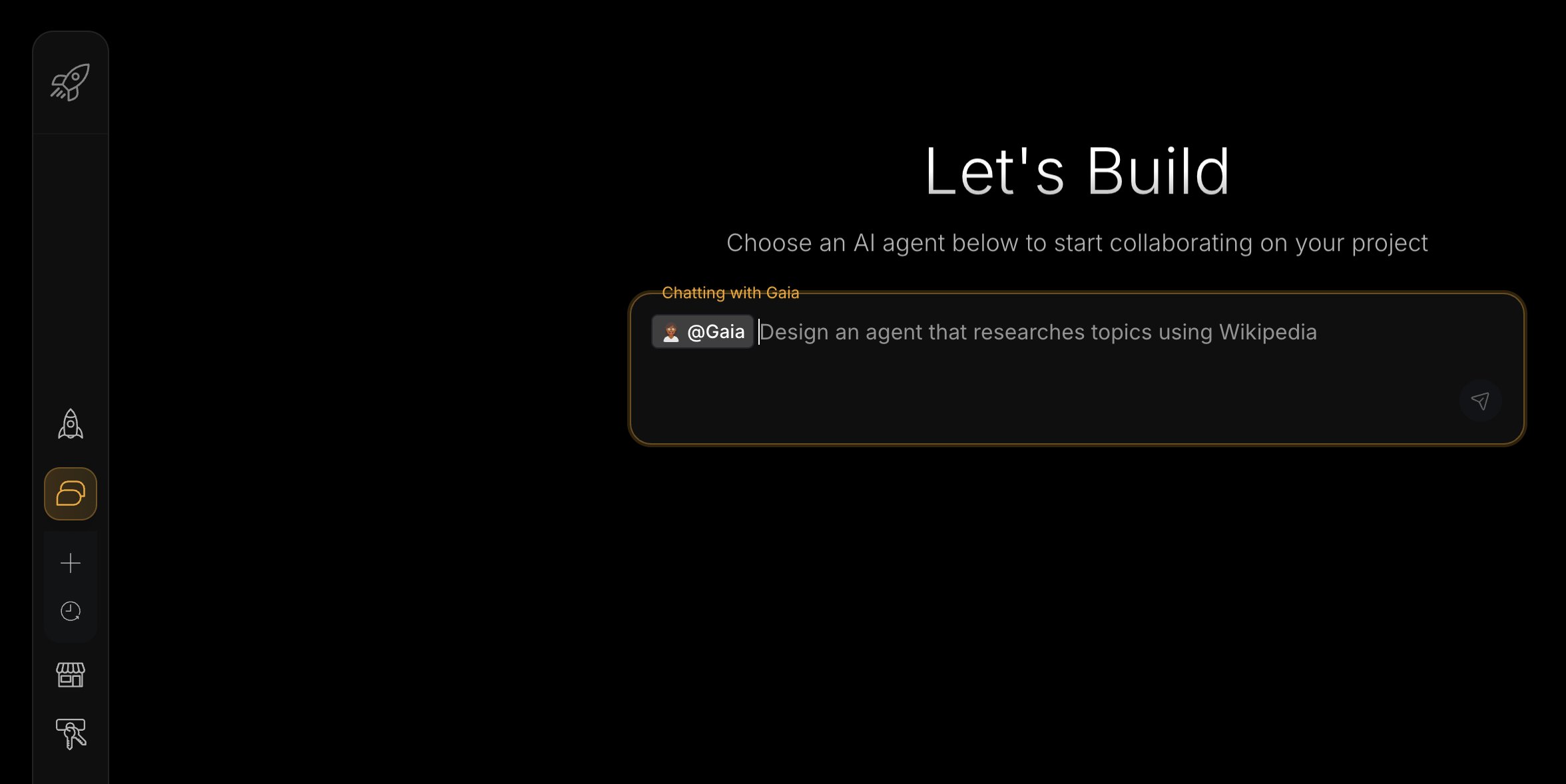
Interface Overview:
- Left Sidebar: Navigate between Agents, Tools, Schedules, Connectors, and Explore (and access your conversation history / New Chat)
- Main Area: Conversational interface for building with AI
- Agent dropdown: Select an agent from the dropdown above the input (a default agent may be pre-selected)
- Message input: Type your instructions and press Enter to send
3. Understand the Chat Interface
Starships.ai uses a conversational building approach:
- Empty state: "Select an agent from the dropdown, then type your question"
- Agent selection: The input updates to the selected agent (for example, “Assign a task to Gaia or ask anything”)
- Building: Describe what you want in natural language
- Results: AI creates agents and tools for you automatically
Want to see how it all works? Check out the Blueprint architecture that powers agent workflows behind the scenes.
Meet Your AI Builders
Meta-agents are specialized AI assistants that create and manage other agents and tools for you. For detailed capabilities, visit their individual documentation pages:
Gaia - Agent Creator
Specializes in creating business and operational agents through conversation
Daedalus - Tool Creator
Builds custom tools and complex workflows that any agent can use
Building Your First Agent
Option 1: Deploy from Explore (Fastest)
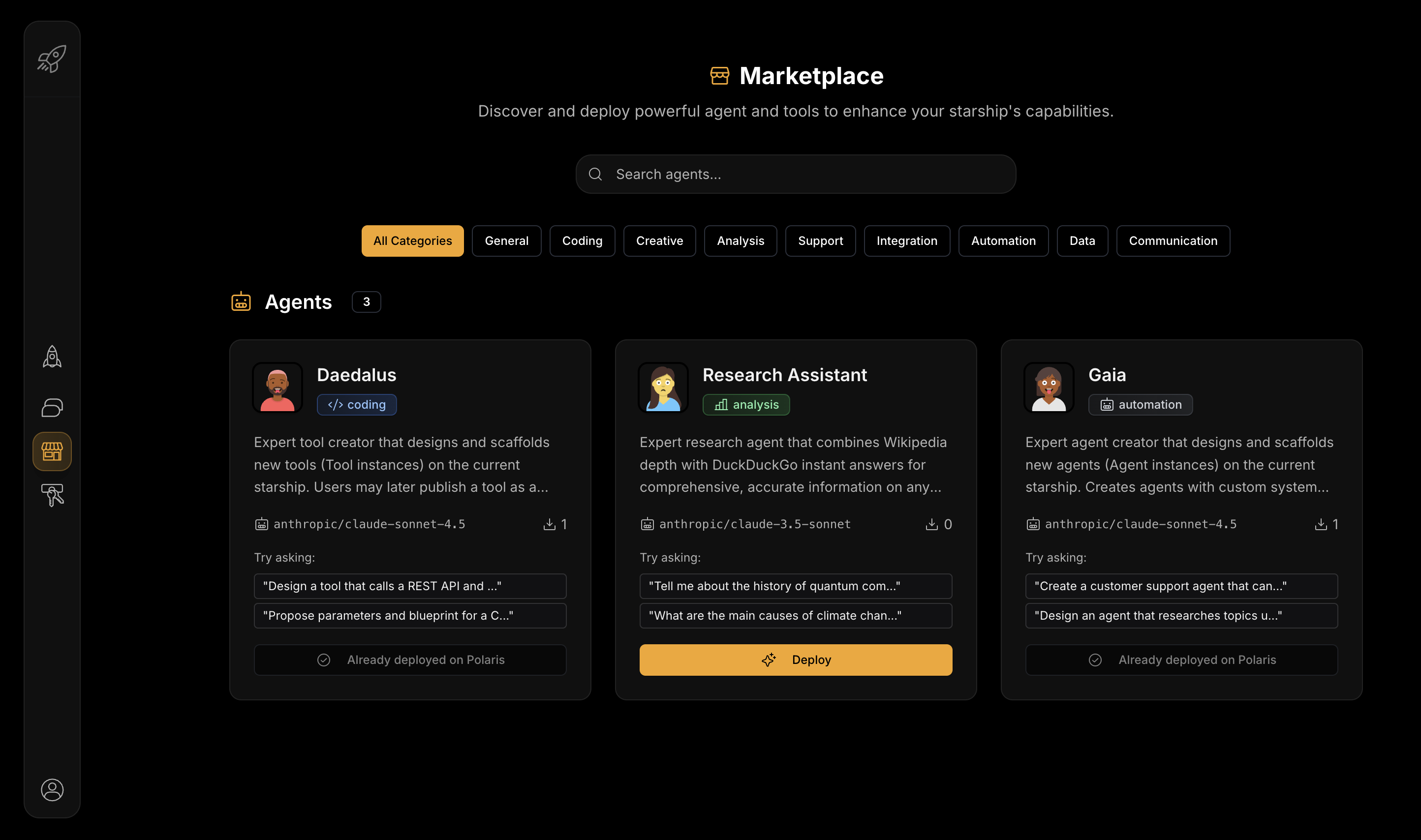
Steps:
- Browse Templates: Click Explore → Browse categories (Support, Coding, Creative, Analysis)
- Deploy: Select template → Click "Deploy" → Confirm to your starship
- Test: Use
@to select your new agent and start chatting
Benefits: Pre-configured prompts, assigned tools, ready in 1-2 minutes
Option 2: Build with Gaia (Custom)
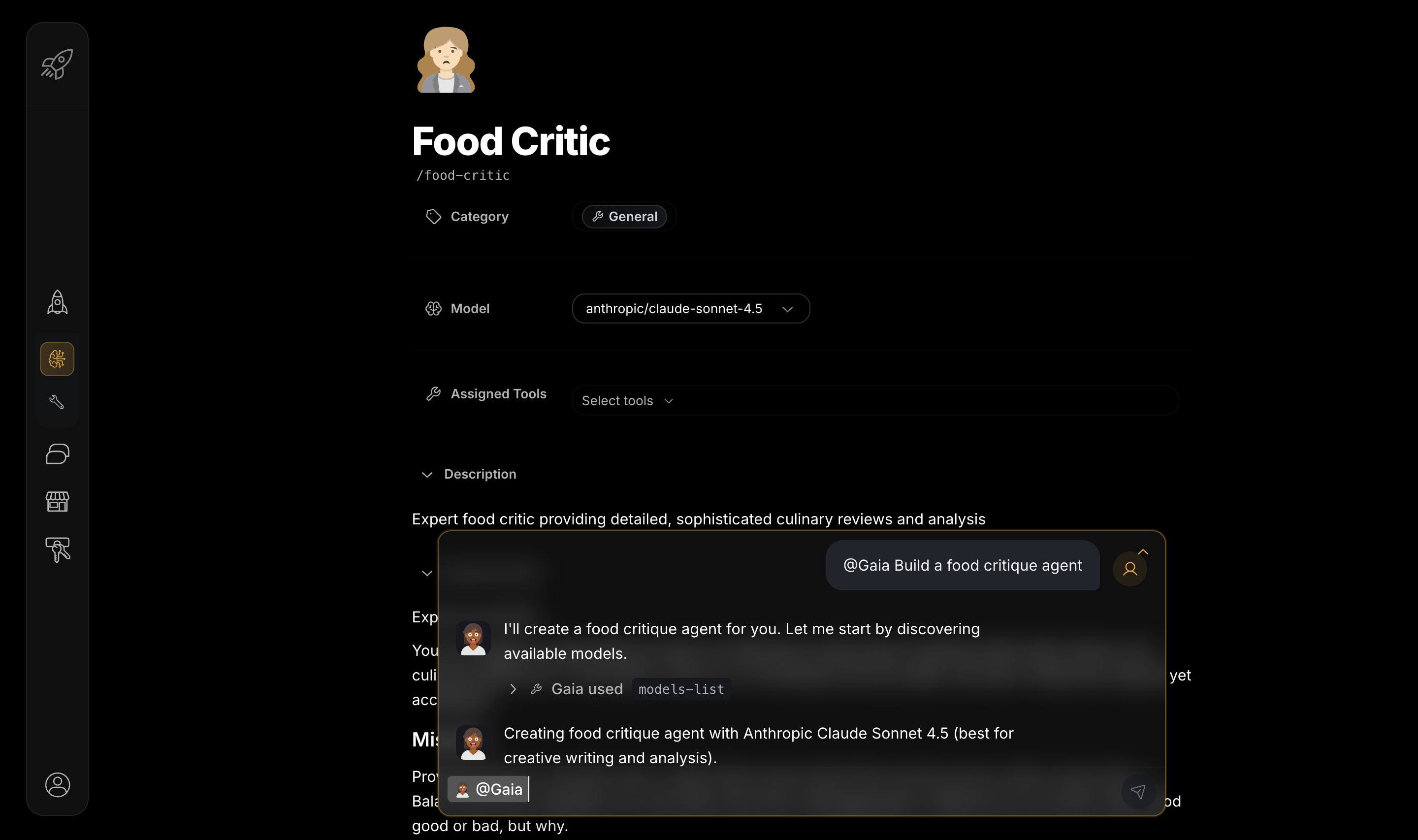
Chat with Gaia to create custom agents tailored to your specific needs
Steps:
- Start Conversation: Type
@→ Select Gaia → Describe your agent needs - Provide Details: Answer Gaia's questions about tasks, tone, and requirements
- Deploy & Test: Gaia creates your agent → Test immediately → Iterate as needed
Benefits: Fully customized for your specific use case, 5-10 minutes total
| Approach | Best For | Time to Deploy |
|---|---|---|
| Explore Templates | Quick deployment, common use cases, getting started fast | 1-2 minutes |
| Build with Gaia | Custom requirements, unique workflows, specific business needs | 5-10 minutes |